2026 Design Trends for AI-first SaaS Products
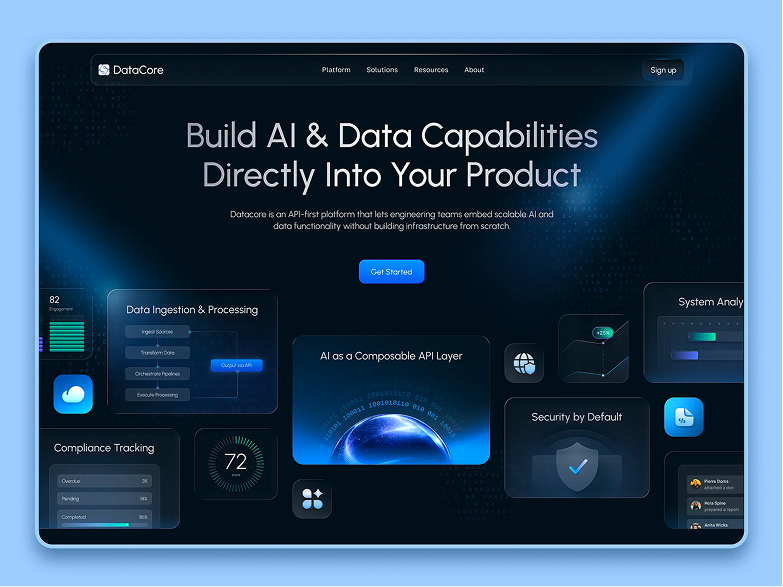
We are seeing AI move rapidly into the very foundation of SaaS products: their logic, interfaces, and business value. As that happens, design is changing too. It is no longer enough to simply add an AI feature. What matters now is defining which part of the work the system should take on, where it can help users reach outcomes faster, and how it can do that without undermining trust. This makes it easier to see where AI actually adds value and where it does not.
I’d like to look at seven key trends already shaping AI-first SaaS in 2026: what is changing, who these shifts matter to most, and how to respond to them in UX/UI. Many of these shifts are also defining a new generation of AI-native products.
These seven trends give product teams practical ways to improve the product, not just a list of what happens to be popular right now.

1. From AI chat to AI agent
Until recently, AI in most products looked like a chat: the user asked a question, and the system responded. Now AI is increasingly expected to take action. It collects data, kicks off processes, prepares drafts, suggests next steps, and automates parts of routine work.
For business, this is an important shift. Users are not paying to chat with a system. They are paying to save time, reduce workload, and cut down on manual work.
You need this if:
- users deal with a lot of repetitive tasks;
- there is a long path from request to result in the product;
- the team spends time manually putting together reports, documents, emails, campaigns, or settings;
- the product is complex, and it is hard for users to reach value quickly;
- you want AI to affect retention instead of remaining a decorative feature.
How to implement this in UX/UI
At this point, it is not enough to place a chat window in the corner of the screen. You need a scenario where AI can actually do the work.
What matters here:
- clear task setup with goal selection, not just an open-ended prompt;
- visibility into the steps the agent is about to take;
- confirmation before important actions;
- clear progress states that show what AI is doing, including waiting, execution, and failure;
- intermediate results, plus a fallback path if the task is incomplete or needs human input;
- an action log;
- a point where the user can edit, stop, or take over.
Useful patterns:
- a task builder instead of an empty “ask anything” field;
- step-by-step progress with clear in-progress states;
- action preview before execution;
- execution history;
- partial results and suggested next actions;
- handoff from AI to a human at the right moment.
How do you decide where you need an AI agent?
Find the two or three most time-consuming user scenarios and turn them into agent-based flows. That is where AI most often creates clear business value.

2. Trust and control become part of the product
The more AI does on its own, the more cautious users become about the system. This is especially true in B2B SaaS, where mistakes can cost money, time, or reputation. That is why trust is becoming a core part of UX.
If people do not understand why the system suggested something or took a certain action, they start double-checking everything manually or stop using the feature altogether.
You need this if:
- AI affects finances, documents, customer data, or analytics;
- the product is used by teams, not just one person;
- you work in B2B, fintech, healthtech, legaltech, HR tech, or enterprise SaaS;
- you have a long purchase approval cycle;
- predictability and safety matter to your clients.
How to implement this in UX/UI
Trust is built through a system of signals. Users should be able to see that the product is understandable, controllable, and predictable.
What is worth adding:
- an explanation of why AI produced a particular result;
- the data source, or at least enough context to make the result understandable;
- a confidence level, where appropriate;
- the ability to review, edit, and undo;
- an action log;
- clear error messages;
- limits on autonomous actions;
- access controls and role settings.
In the interface, this can look like:
- “Why am I seeing this?” next to a recommendation;
- a history panel showing the agent’s actions;
- approve / reject / edit instead of fully automatic execution;
- undo for changes;
- labels showing where AI was used;
- separate screens for admins and oversight roles.
When should AI in a product be controllable?
When it affects important data, decisions, and actions inside the product. In these scenarios, controllability needs to be built in from the start. Users should understand what AI is doing and be able to review, edit, or stop it. Otherwise, adoption will hit a wall because people are afraid of losing control, not because the model is not good enough.

3. Explainability, auditability, and compliance-by-design
What this means
For AI-first SaaS, being smart is no longer enough. The product also needs to be explainable and designed for verification and internal oversight. This matters especially when the buyer is a company rather than an individual user.
At this point, the issue is no longer just trust. It is also whether the product can meet enterprise requirements around control, auditability, security, and governance. Otherwise, the product may look impressive in a demo and still fail when it reaches the security team, compliance, or leadership.
You need this if:
- you sell to enterprise clients;
- the product works with sensitive data;
- AI affects decisions that need to be reviewed;
- security, transparency, and control matter to your clients;
- you want to sell to large teams, not just early adopters.
How to implement this in UX/UI
Here, design supports not only usability but also system governance.
What matters:
- decision trace: how the system arrived at its conclusion;
- action log: what exactly AI did;
- role-based access: who can launch and approve what;
- consent flows where explicit control is required;
- warnings about the boundaries of automation;
- admin monitoring panels;
- policy and restriction settings;
- notifications about risky actions;
- a clear distinction between AI output, source data, and the recommended next step.
What is especially useful:
- an audit trail for AI and user actions;
- a separate admin UX layer instead of trying to fit everything into the main user interface;
- cards that explain the logic behind a recommendation;
- result versions and change history;
- log export and a transparent decision history;
- a clear connection between the system’s answer and the source data it is based on.
Why should AI be explainable by design?
For a serious product, the result alone is not enough. People also need to understand how the system got there. If AI affects decisions, works with sensitive data, or is sold to enterprise clients, explainability and governance need to be built into the UX from the start. Adding them later is harder, more expensive, and usually more painful for the product.

4. Multimodal UX becomes a practical standard
What this means
Users no longer work with text alone. In real SaaS workflows, documents, spreadsheets, images, audio, video, code, dashboards, calls, and CRM data all exist side by side. That is why AI-first products are increasingly built around multiple input and output types at once.
This brings the interface closer to the way teams actually work.
You need this if:
- the user works with several content types in one workflow;
- the product is embedded in complex business processes;
- you want to expand the range of use cases;
- the client has to jump between services to complete a single task;
- you are building a product for sales, analytics, support, design, marketing, or ops teams.
How to implement this in UX/UI
The main design goal here is not just to add new formats, but to keep the interface understandable.
What should be included:
- clear entry points for different data types;
- a clear distinction between what can be uploaded, dictated, pasted, or connected;
- a consistent processing pattern across different formats;
- visibility into how AI interpreted the input data;
- a clear connection between source and result;
- convenient navigation across content types.
Useful UI solutions:
- a unified workspace for text, files, media, and actions;
- drag-and-drop with clear interpretation;
- a preview of processed content;
- a summary layer over long documents or calls;
- side-by-side comparison of the source and the result;
- filtering by data type;
- voice input where it genuinely speeds things up.
When does your product need multimodal UX?
If the product brings together several formats in one process, it becomes more deeply embedded in the team’s daily work. That increases the product’s value and makes it harder for competitors to replace.

5. The interface becomes adaptive
What this means
The same interface for every user works worse and worse over time. A beginner, a power user, a manager, and an admin all see the product differently, solve different tasks, and are at different stages of maturity. AI makes it possible to show a more relevant layer based on a specific context.
This is especially important in complex SaaS products, where feature overload hurts onboarding and slows down the path to value.
You need this if:
- the product is overloaded with features;
- users get lost quickly after sign-up;
- you have different roles within one account;
- some clients use only 10% of the product’s capabilities;
- you want to reduce time-to-value.
How to implement this in UX/UI
An adaptive interface requires a controlled system that can adjust without feeling unstable. Users should see relevant content without losing the sense of logic and consistency in the interface.
What you can do:
- tailor onboarding to the user’s role and task;
- change the order of blocks based on context;
- show contextual actions instead of long menus;
- provide AI guidance at the moment of action;
- adjust interface depth to the user’s level;
- hide secondary elements until they are needed;
- show personalized recommendations based on the current state;
- keep the interface structure stable even when content and guidance adapt.
Useful patterns:
- role-based home screens;
- progressive disclosure;
- personalized dashboards;
- adaptive empty states;
- contextual assistance inside the workflow;
- next best action cards.
When do you need an adaptive interface?
Most often, adaptability creates the most value where the product is already powerful but hard to learn. In those cases, design helps set priorities, reduce unnecessary friction, and show the right thing at the right moment without making the interface feel unpredictable.

6. AI search becomes a working tool
What this means
In AI-first SaaS, search becomes an entry point to knowledge, actions, and decisions. Users increasingly expect to ask a question in natural language and get not just a result, but also a short summary, a next step, and useful context.
This is especially valuable because search sits at the intersection of navigation, analytics, support, and decision-making.
You need this if:
- the product contains a lot of data, documents, records, or objects;
- it is hard for the user to find what they need quickly;
- the team spends time navigating a complex system;
- you want to reduce cognitive load;
- the product includes a knowledge base, CRM, analytics, catalog, or support data.
How to implement this in UX/UI
A new AI search experience should help users not only find things, but also understand what to do next.
What matters:
- natural language input;
- query refinement through follow-up;
- a summary above the results;
- an explanation of why the system showed this result;
- quick paths to action;
- filters plus AI, not just AI alone;
- the ability to verify the source behind the answer.
Useful patterns:
- search as workspace;
- suggested refinements;
- answer plus sources;
- result grouping by intent;
- direct action from the search result;
- conversational search memory within the session.
When is it worth turning search into an AI tool?
If your product is complex and data-heavy, AI search often creates one of the fastest user-facing improvements. It reduces friction without requiring a complete redesign of the whole system and immediately strengthens the sense that the product is useful.
7. Invisible (embedded) AI
What this means
One of the strongest trends of 2026 is that AI is becoming part of the product’s core workflow: onboarding, forms, analytics, recommendations, support, content creation, and process setup. Users do not go to a separate AI section. They simply get their work done faster.
This is often what a more mature AI-first SaaS product looks like.
It is time to embed AI into the core workflow if:
- your AI still lives in a separate tab and people barely use it;
- adoption of new AI features is low;
- the user has to consciously change their habits to use AI;
- you want AI to affect core metrics;
- efficiency, speed, and convenience are central to the product’s value.
How to implement this in UX/UI
The design task here is to embed AI into natural points of value along the user’s main path. What matters is that AI helps the user move faster without competing with the main interface for attention.
Where this is especially appropriate:
- onboarding
- empty states
- forms and setup flows
- dashboards
- analytics summaries
- customer support touchpoints
- content creation flows
- recommendations inside the work context
- error recovery moments
What helps:
- contextual suggestions
- smart defaults
- AI-filled drafts
- one-click next-step generation
- inline recommendations
- auto-summary on key screens
- predictive assistance at the moment of friction
- built-in help that strengthens the main scenario instead of pulling the user into a separate flow
Where should you embed AI so people actually use it?
In the parts of the product that directly affect speed, convenience, and outcomes: onboarding, setup flows, forms, dashboards, search, recommendations, support, and content creation. In these scenarios, AI more easily becomes a working tool and starts influencing product metrics.

What entrepreneurs should focus on right now
If you look at all seven trends together, one thing becomes clear: the market is moving away from AI as a showcase feature and toward AI as part of the product system.
Right now, the products that tend to win are the ones where:
- AI automates real parts of the work;
- the user keeps clarity and control;
- the system takes context into account instead of relying only on a text prompt;
- the interface helps users get to value faster and make decisions more easily;
- search and recommendations shorten the path to the next action;
- AI is embedded into the core workflow and affects key scenarios.
This leads to a practical conclusion: do not look for a trendy AI scenario. Identify the most time- and effort-intensive part of the user journey. That is where AI most often creates a noticeable effect on retention, adoption, and the overall value of the product. In this case, the role of design is to embed AI in a way that speeds up the path to results instead of adding another layer of complexity.
What should your team focus on in practice?
Look at your product and ask these five questions:
1. Where is the user’s most time-consuming routine?
That is usually where an agent-based scenario makes the most sense.
2. Where does AI need to be transparent and controllable?
Where AI affects important data, decisions, and actions, and the user needs explanations, confirmations, action history, and the ability to roll things back.
3. What formats does the user actually work with?
If the task does not fit into a single data type, the product may need multimodal UX.
4. Where can AI reduce interface overload?
Where it is hard for the user to orient themselves quickly, choose the next step, or find what matters most. At these points, AI can reduce unnecessary choice, highlight priorities, and help the user reach results faster.
5. At which points in the workflow can AI save the most time?
Look at the steps where the user spends a long time searching, filling things out, analyzing, repeating the same actions, or getting stuck before the next step. Embedded AI usually creates the most noticeable effect there.

Conclusion
It is useful to keep an eye on trends. They help us see where the market is moving, which AI capabilities are quickly becoming standard, and where SaaS products are already changing at the level of logic, interface, and user expectations.
But when working on a product, it is better not to start with trends themselves. It is better to start with common sense and real tasks. First, look at where the user loses time, gets stuck, makes mistakes, or is forced to take extra steps. Then decide which AI approach makes sense at those points: an agent-based scenario, built-in assistance, explainability, AI search, multimodal UX, or a more adaptive interface.
This approach helps avoid overloading the product with trend-driven features and instead strengthens it where it creates real value. This is where AI can become a real assistant: shortening the path to results, making the system easier to understand, reducing the user’s workload, and opening new growth opportunities for the business.
That is why in 2026 it makes more sense to look at AI as a set of new opportunities to improve the product. If AI is meant to become part of the product’s value, its role should be thought through at the level of product logic from the very beginning. Implementation can then be built step by step, starting with the scenarios where AI is already delivering clear value to both the user and the product.
That is often where the most successful product changes begin.